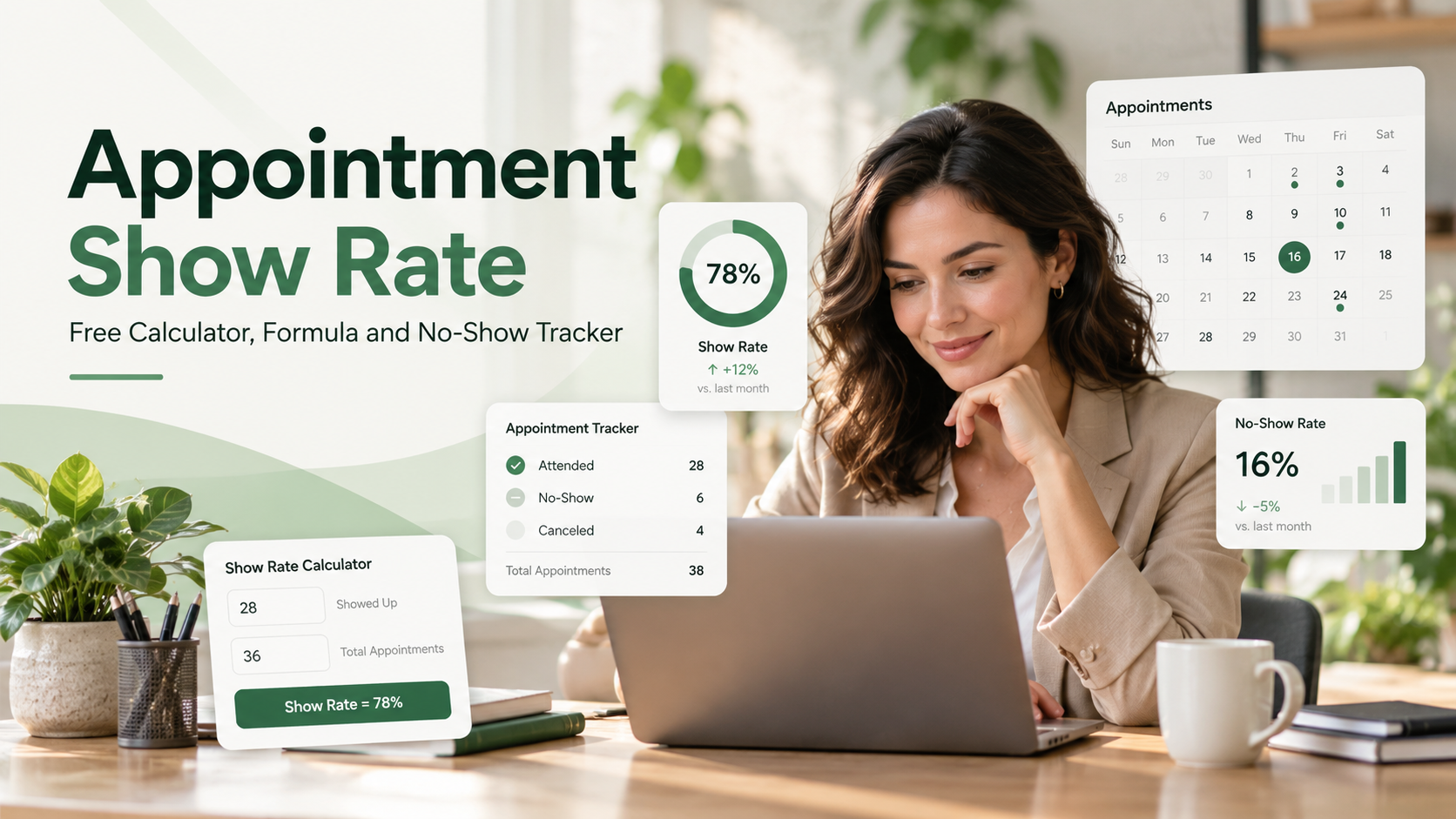
A full appointment calendar does not always mean a full day of customer conversations. What matters is how many of those bookings become attended meetings.
In this guide, appointment show rate measures the percentage of appointments attended among those with a final attendance outcome: attended or no-show. Advance cancellations and reschedules are reported separately. Other businesses and scheduling systems may use different denominators. Using the method, divide attended appointments by the total of attended appointments and no-shows, then multiply by 100. Keep cancellations and reschedules separate so they do not distort the result.
This guide explains the formula, provides a free Excel calculator and no-show tracker, and shows how to turn attendance data into practical improvements.
Free Appointment Show Rate Calculator and No-Show Tracker
Download the free Excel calculator and no-show tracker to measure attendance without building a reporting system from scratch.
The workbook includes three practical tools:
Quick Calculator: Enter attended, no-show, cancelled and rescheduled counts. Your show rate, no-show rate and booking-to-attendance rate calculate automatically.
No-Show Tracker: Record each appointment slot, booking source, meeting type, staff or branch, and final outcome.
Tracker Dashboard: Choose a reporting period and review totals and attendance rates from the tracker.
Start with the calculator if you know your counts. Use the tracker to collect data across days, staff or locations. The fictional examples in the workbook should be replaced before business use.
How Do You Calculate Appointment Show Rate?
The formula depends on which appointment outcomes you include. In this guide, show rate means attendance among appointments that reached an attendance decision:
Show rate (%) = Attended ÷ (Attended + No-shows) × 100
A corresponding no-show rate uses the same denominator:
No-show rate (%) = No-shows ÷ (Attended + No-shows) × 100
With these definitions, show rate and no-show rate add up to 100%. Cancelled and rescheduled appointments are reported separately, provided those changes happened before the original appointment time.
Some organisations divide attended appointments by all original bookings instead. Check the denominator before comparing reports.
Example: 100 booked appointment slots
Imagine a consultancy records the following completed outcomes during one reporting period:
Outcome | Appointment slots |
|---|---|
Attended | 72 |
No-show | 8 |
Cancelled before the appointment | 12 |
Rescheduled before the appointment | 8 |
Total resolved slots | 100 |
First, calculate the number of appointments due for an attendance decision: 72 + 8 = 80.
Show rate: 72 ÷ 80 × 100 = 90%
No-show rate: 8 ÷ 80 × 100 = 10%
Original-slot attendance rate: 72 ÷ 100 × 100 = 72%
The business had a 90% show rate among appointments due to take place. But only 72% of all original booked slots resulted in an attended meeting at their original time.This measures how many of the 100 original scheduled slots resulted in attendance at their original times. Replacement slots created by rescheduling should be tracked separately to avoid counting the same appointment journey inconsistently
These numbers answer different questions: attendance reliability versus original-slot fulfilment.
These figures are illustrative, not industry benchmarks or TrueValue customer results.
What Counts as a No-Show, Cancellation or Reschedule?
A no-show is an appointment where the customer does not attend and has not given advance notice under the business's documented policy. A cancellation or rescheduling request made beforehand should not automatically be treated as a no-show.
Status | What happened | How to report it |
|---|---|---|
Attended | The customer joined or arrived | Count in show rate numerator |
No-show | The customer did not attend without the required notice | Count in no-show rate |
Cancelled | The original slot was cancelled in advance | Track separately |
Rescheduled | The appointment moved to a new time | Track the original slot separately |
Upcoming | The appointment time has not passed | Exclude from final rates |
Document a consistent rule for late cancellations. Scheduling services such as Calendly and Acuity Scheduling support marking no-shows in appointment records.
Rescheduled appointments need particular care. If a customer moves an appointment from Tuesday to Friday, the Tuesday slot should be recorded as rescheduled. Friday becomes a separate scheduled slot. When Friday's appointment happens, record its actual outcome. Otherwise, a team can accidentally double-count attendance or blame a customer for a meeting that was legitimately moved.
How to Build a Useful No-Show Tracker
An appointment tracker becomes valuable when it can explain patterns, not just provide a monthly percentage. You need one row for each scheduled appointment slot, with enough information to investigate differences without collecting unnecessary personal data.
Record an appointment reference, scheduled date and time, booking source, appointment type, assigned staff member or branch, outcome, and whether a reminder was sent.
For example, booking sources might include website enquiries, telephone bookings, referrals or marketing campaigns. Appointment types might include initial consultations, service visits and product demonstrations.
Keep the reporting period consistent
Use the scheduled appointment date when grouping outcomes into a reporting period. Do not mix the date a booking was created with the date the meeting was supposed to happen.
Before calculating final rates, review appointments that are still marked upcoming or have no outcome. A missed status update is a data-quality issue; it is not automatically evidence of a customer no-show.
For multi-branch businesses, compare locations and appointment types. Check the underlying counts; small samples can produce large percentage swings.
Look beyond the overall percentage
Once your records are reliable, ask:
Which booking sources produce the highest proportion of attended appointments?
Do long gaps between booking and appointment dates coincide with more no-shows?
Are cancellations concentrated in certain appointment types or time slots?
Do customers have a clear way to confirm, cancel or reschedule?
Are staff consistently updating appointment outcomes after each meeting?
Use the answers to decide what to change.
Five Practical Ways to Improve Appointment Attendance
1. Make every booking confirmation unambiguous
A useful confirmation states the date, local time, location or joining link, purpose and rescheduling instructions. Include clear branch details for in-person visits.
2. Send a helpful reminder, not a stream of messages
A reminder is most useful when it gives the customer the information needed to attend or reschedule. Keep it brief, accurate and appropriate for the communication channel.
A Cochrane review of healthcare appointment trials found that mobile text reminders improved attendance versus no reminders. This evidence comes from healthcare, so results may differ in other industries. A Cochrane review published in 2013 found that mobile text reminders improved attendance at healthcare appointments compared with no reminders. The evidence relates to healthcare and should not be interpreted as a guaranteed result for every business or reminder channel.
For example: Your consultation is booked for Thursday at 3:00 pm. Here are your joining details: [meeting information]. Need another time? Please contact our team before the appointment.
Use customer contact details responsibly, with appropriate permission. Record whether the reminder was sent.
3. Make rescheduling easier than disappearing
A customer may still want a meeting but need another time. Make rescheduling straightforward; confirm the replacement date and preserve the original slot's outcome.
4. Assign an owner to every scheduled meeting
A completed meeting may look missed if nobody updates the record. Assign responsibility for conducting the appointment, recording the outcome and following up after an absence.
5. Compare results before and after process changes
Test one change, such as clearer confirmations, then compare similar periods. Review cancellations and reschedules too. If attendance improves, check whether booking sources, staffing or appointment types changed; correlation alone does not prove cause.
What Is a Good Appointment Show Rate?
There is no universal target that suits every industry, booking type or business model. A short product demo, a medical consultation and an in-person service visit can have very different customer expectations.
Instead of copying an unsourced benchmark, establish your own baseline. Use the same outcome definitions for at least a few reporting periods, then compare similar appointment types.
A change from 75% to 82% is an improvement of seven percentage points, not necessarily seven additional attended appointments.
Review counts alongside percentages: an 80% show rate across ten appointments differs materially from 80% across a thousand.
Common Mistakes That Make Appointment Reports Misleading
Treating every non-attendance outcome as a no-show. Cancellations and pre-arranged reschedules should not be silently added to the missed-appointment count.
Counting future appointments. A meeting scheduled for next week has not yet been attended or missed; it should not affect final attendance rates today.
Counting customers instead of appointment slots. One customer may book, reschedule and later attend. Track what happened to each slot, and use a separate customer-level measure if you want to know whether that person eventually attended.
Ignoring missing outcomes. Blank statuses can make attendance appear better or worse than it really is. Reconcile them before sharing management reports.
Comparing different definitions. A 90% show rate that excludes cancellations is not directly comparable with a 90% rate calculated from every original booking.
How TrueValue Appointments Fits Into the Workflow
Accurate measurement starts with clear scheduling responsibilities. TrueValue Platform offers Appointments, a Product focused on managing business bookings, staff availability, scheduling and appointment workflows.
For teams that rely on consultations, service meetings or product demonstrations, it is worth reviewing how appointments are organised, how staff know who is expected, and how scheduling changes are handled.
The Excel calculator provided with this article is a separate educational tool. It should not be mistaken for a claim that every calculation or dashboard in the workbook is built into the Appointments Product.
Explore the scheduling workflow in a TrueValue Appointments demo.
Frequently Asked Questions
How do I calculate appointment show rate in Excel?
If B2 contains attended appointments and B3 contains no-shows, enter =IF(SUM(B2:B3)=0,"",B2/SUM(B2:B3)) and format the result as a percentage. Keep cancellations and reschedules in separate fields.
Should cancelled appointments be included in show rate?
In the attendance-based method used here, appointments cancelled before the scheduled time are excluded from the show-rate denominator and reported separately. Other systems may use different rules, so check the metric definition before comparing reports.
Is appointment show rate the same as booking conversion rate?
No. Booking conversion rate measures how frequently an enquiry or lead becomes a booking. Appointment show rate measures how frequently an appointment due to take place is actually attended. Both can matter, but they describe different stages of the customer journey.
How should I count rescheduled appointments?
Mark the original slot as rescheduled and record the replacement as a new appointment slot. Judge attendance for the replacement appointment when its scheduled time has passed. This keeps the original-calendar measure separate from the customer's eventual attendance.
Can appointment reminders completely prevent no-shows?
No. Reminders can help customers remember appointments, but they cannot remove every reason for a missed meeting. Clear confirmations, flexible rescheduling, accurate records and appropriate follow-up are also worth reviewing.
The Bottom Line
An appointment is not a completed conversation simply because it appears on the calendar. Track attended meetings, no-shows, cancellations and reschedules separately. Use the free calculator to establish your baseline, then look for practical changes that improve the customer experience and make scheduling more reliable.
Download the free Appointment Show Rate Calculator and No-Show Tracker, and if your business wants to review its booking and scheduling workflow, Request a Demo of TrueValue Appointments.
See Appointment and the rest of the Platform in action.
Start with the Product you need today, then add more on the same Platform.
Request a Demo