A page can look finished but fail its purpose: a form sends nothing, a button opens the wrong destination, or search settings prevent discovery.
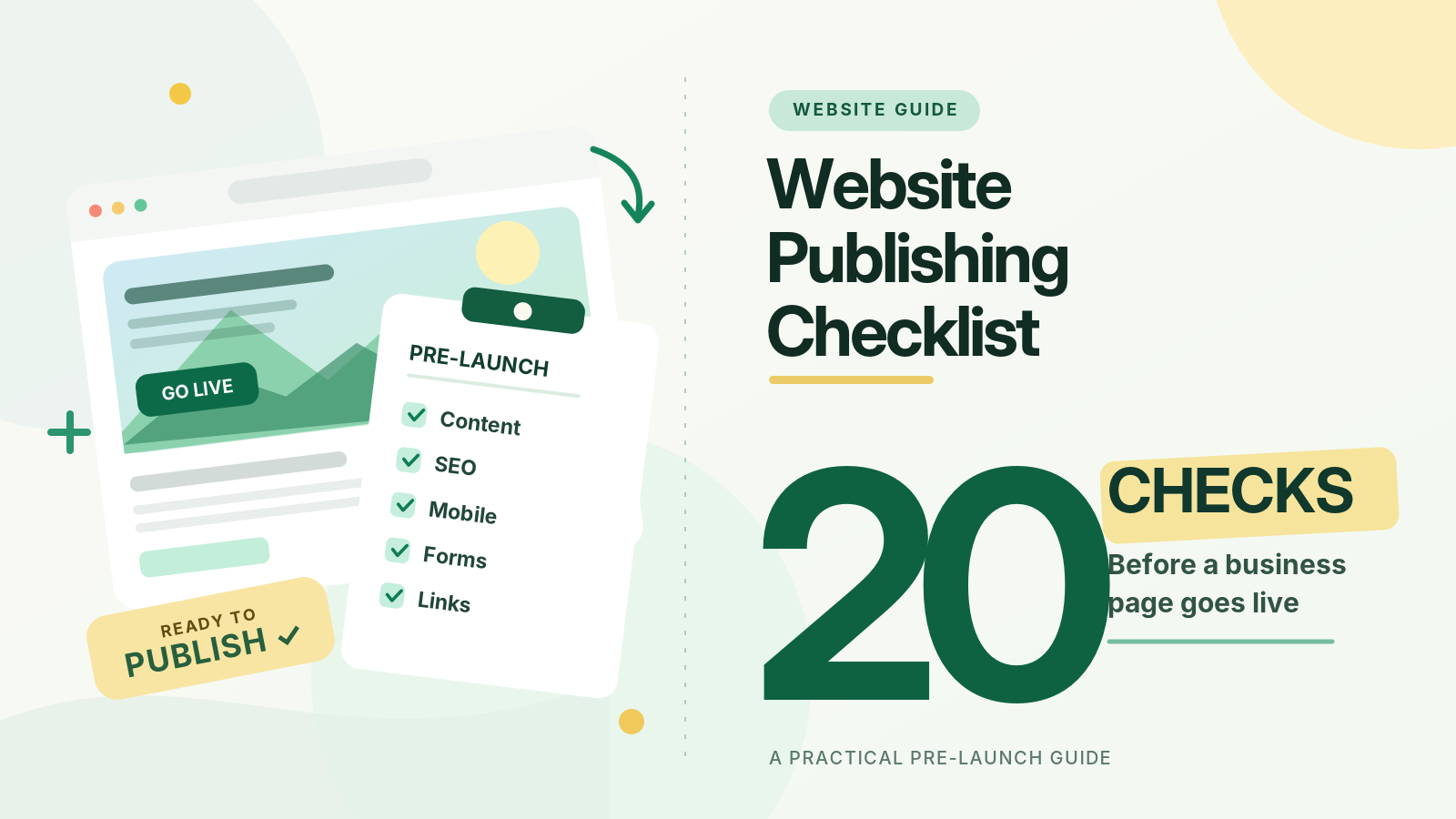
Before publishing a business webpage, check its content, conversion journey, technical SEO, accessibility, security, performance and tracking. Use these 20 checks for landing pages, service pages and campaigns. Record the tester and unresolved issues.
To make the checklist actionable, create a review sheet with four columns: check, result, owner and evidence. Mark each item Pass, Fix Before Launch or Follow Up. Keep screenshots for visual issues and a test reference for technical ones. A failed form, inaccurate claim or exposed information belongs in Fix Before Launch; a cosmetic refinement can be scheduled with a named owner. Review the completed sheet immediately before release.
Content and Credibility: Checks 1–4
1. Define the Page's Audience and Purpose
Can you state who the page serves and what visitors should do next? A service page may need enquiries; a guide should answer questions; a campaign could invite bookings. Remove distractions from that goal.
2. Make the Headline and Opening Immediately Useful
The heading should describe the subject, not merely impress. The opening should explain what visitors will learn or receive. Answer searchers' questions without forcing them through a long brand introduction.
3. Verify Every Business Claim
Check contact details, addresses, product descriptions, prices, dates, statistics and eligibility conditions. Check that testimonials and customer logos are authorised. Obtain specialist approval for legal, medical or financial claims before launch.
4. Confirm Ownership and Editorial Approval
Identify the person accountable for accuracy. Identify a genuine author or reviewer when relevant. Check spelling, heading order, image permissions and approvals. Set a review date for changing details.
Customer Experience and Conversions: Checks 5–8
5. Test the Page on a Real Phone
Open the page on a phone and check text, spacing, menus and buttons. Can visitors read without horizontal scrolling? Is the main action accessible? Repeat on desktop and another common browser.
6. Check That the Call to Action Makes Sense
A button labelled "Get Started" may be less helpful than "Request a Consultation" when that is the real next step. Make the action visible and ensure its destination matches the promise.
7. Submit Every Form From Start to Finish
Complete a real test submission using approved test details. Verify required fields, validation messages, confirmation screens and the destination where enquiries are received. Test empty fields and errors. Confirm the enquiry reaches its owner.
8. Test Telephone, Email, Navigation and Downloads
Tap the phone number on mobile, open the email link, check appointment links and download any promised files. Review menus and footer links. A broken primary link can prevent conversion.
Search Discovery and Page Information: Checks 9–14
9. Write a Distinct SEO Title and Meta Description
Give the page an accurate, descriptive title and a useful summary for search visitors. Avoid repeating the same title across several pages. Google can generate snippets from page content rather than using the description supplied, so the visible copy must also clearly explain the page's value. There is no guaranteed display length.
10. Review the URL and Canonical Choice
Prefer a readable permanent URL. If similar versions exist with different parameters, domains or paths, confirm which version should be canonical. Keep redirects consistent; avoid staging canonicals. Google's canonical URL guidance explains why duplicate routes need clear signals.
11. Confirm the Page Is Accessible to Search Engines
A public page intended for search should return a successful HTTP status and contain indexable content. Check accidental noindex, login restrictions and staging crawler blocks. robots.txt controls crawling, not guaranteed exclusion from search. Inspect the live URL in Search Console.
12. Add Useful Internal Links and Check the Sitemap
Link to the new page from a relevant existing page or navigation route. Use descriptive anchor text instead of "click here". If the page should be indexed, include its preferred URL in the appropriate sitemap. Do not rely only on sitemaps: Google's SEO guidance also emphasises helpful, crawlable internal links.
13. Make Important Answers Readable in Plain Text
Critical explanations should not exist only inside images, animations or inaccessible widgets. Use meaningful headings, clear definitions and specific examples. Validate structured data against the visible page. Google's AI search guidance says ordinary SEO fundamentals still apply; special AI markup is not required or a guarantee of citations.
14. Review Images, Alternative Text and Sharing Previews
Check image rights and size. Describe informative images with useful alternative text, not keywords. Test the social sharing title, description and preview image so a shared link does not display an unrelated photograph or outdated campaign message. Decorative images can have empty alt text.
Reliability, Accessibility and Trust: Checks 15–18
15. Check Loading Speed and Layout Stability
Run PageSpeed Insights and review actual user data where available. Google's Core Web Vitals guidance describes good thresholds of LCP at or below 2.5 seconds, INP at or below 200 milliseconds, and CLS at or below 0.1, assessed for real users at the 75th percentile. Fix slow images, unresponsive controls and layout shifts.
16. Test Accessibility Beyond a Visual Review
Navigate using only a keyboard. Can you reach controls, see focus and operate menus? Check sufficient text contrast, descriptive link text, meaningful headings and correctly associated form labels. The W3C form guidance explains why visible, programmatically connected labels matter. Include manual testing.
17. Check HTTPS, Privacy Notices and Permissions
Verify the final page uses HTTPS, loads essential assets securely and does not expose internal documents or customer details. If the page collects information, explain its intended use and provide the relevant privacy notice and consent controls where required. Check third-party scripts and forms.
18. Verify Analytics and Lead Measurement
A form that works but is not measured leaves the marketing team guessing. Confirm the analytics configuration fires on the intended page, then test the event representing a successful action.For lead-generation forms, Google Analytics 4 supports the recommended generate_lead event. Configure it to represent a successfully generated lead rather than merely a button click. Verify that the event is recorded correctly and is not duplicated.
Production Launch and Follow-Through: Checks 19–20
19. Repeat a Final Test on the Live URL
After publishing, open the production page in a private browser session. Recheck the first screen, form, mobile layout, key links and assets. Look for caching problems, wrong redirects, broken images and unexpected error pages. Staging previews do not prove production works.
20. Assign a Post-Launch Owner and Review the Results
Record who can fix an issue, how to roll back a serious mistake, and when the first review will occur. Monitor enquiry delivery, key events, Search Console coverage and feedback from staff. Keep a change log. Publication starts ongoing maintenance.
Which Problems Should Stop a Website Launch?
Not every imperfection has equal urgency. Stop publication when the main form fails, important claims are wrong, personal information is exposed, a critical button goes nowhere, or a public page is unintentionally blocked from indexing. Resolve less urgent refinements, such as a secondary image adjustment, through a dated follow-up task without pretending they have no owner.
For major launches, have someone outside the team complete the primary journey; unfamiliar testers often catch confusing instructions.
Where TrueValue Site Flow Fits
TrueValue Platform includes Site Flow, a Product for managing public web and content experiences and connected website operations. For teams working across website pages and updates, a defined review-and-publish process can make responsibilities clearer and reduce last-minute surprises.
This checklist does not imply every check is automated in Site Flow. Explore the TrueValue Product catalogue or Request a Demo to discuss your website workflow.
Frequently Asked Questions
What Should I Check First Before Publishing a Website Page?
Start with accuracy, the primary customer action and successful form submission. Then verify search access, mobile usability, links, privacy and measurement. Fix anything that could mislead a visitor or prevent the page's intended outcome.
Does Passing a Website Checklist Guarantee Google Indexing?
No. A page must be accessible and eligible for indexing, but Google does not guarantee that every eligible page will be indexed or ranked. Use Search Console to inspect the live URL and monitor what happens after publication.URL Inspection can help diagnose technical indexing problems, but a successful live inspection is not confirmation that Google has already indexed the page.
Do I Need a Separate Checklist for AI Search?
Not for Google's AI search features. Clear, useful text, trustworthy evidence, crawlable pages and good technical SEO remain the foundations. Focus on answering real questions accurately rather than adding unverified "AI SEO" tricks.
Final Thought
A ready-to-publish page is not merely one that looks complete. It is accurate, accessible, discoverable and able to deliver the next step it promises. Work through these 20 checks before launch, document exceptions and return after publication to confirm the page is doing its job.
See Business Operations and the rest of the Platform in action.
Start with the Product you need today, then add more on the same Platform.
Request a Demo