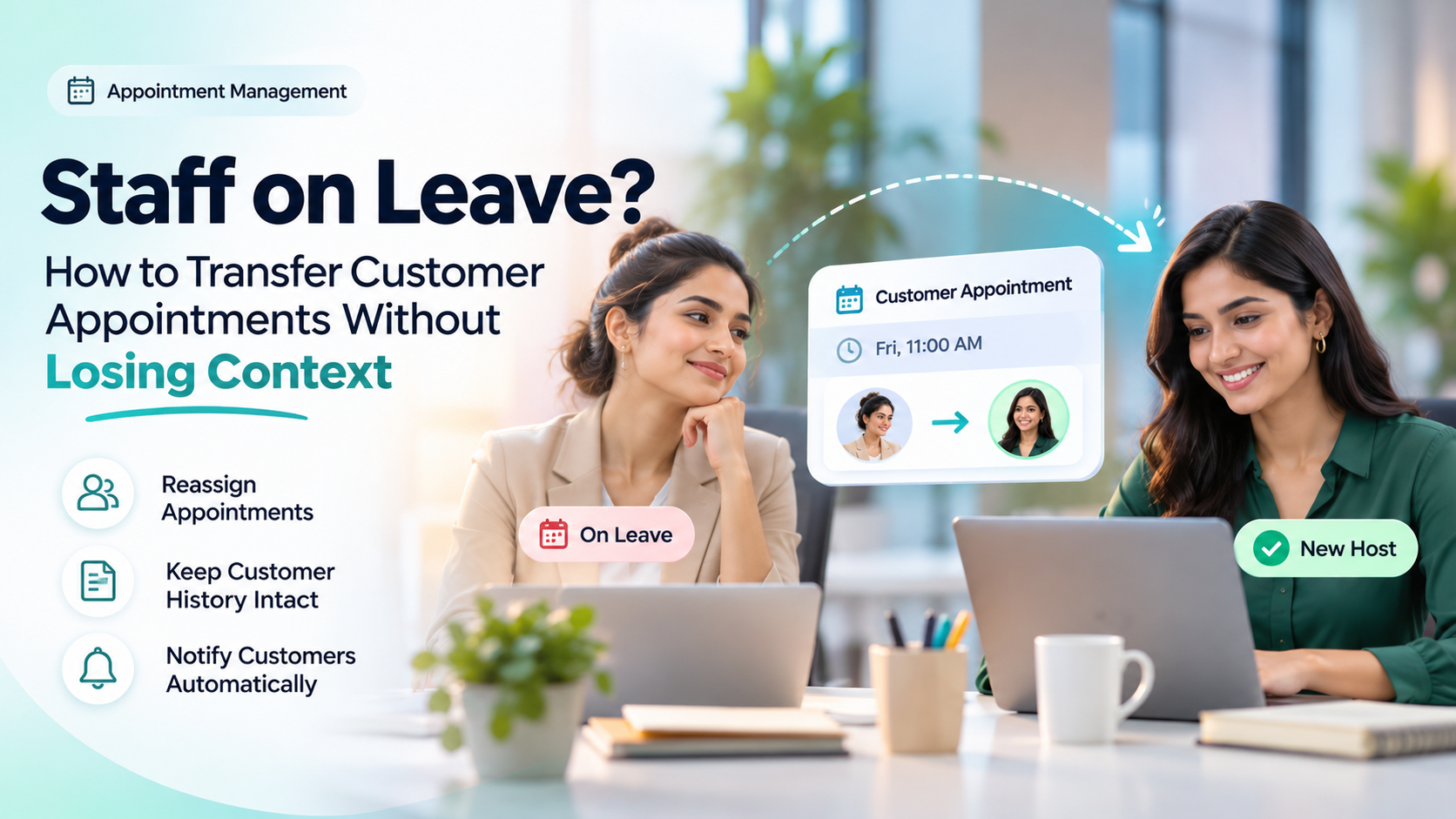
When an employee takes leave, their scheduled customer appointments should not become another employee's scheduling problem.
Customers expect their appointments to continue smoothly, even when their usual consultant, salesperson or service provider is unavailable.
However, poorly managed handovers can result in missed meetings, repeated questions, duplicate bookings and lost customer information.
To transfer customer appointments safely, businesses should identify affected bookings, select an available replacement, preserve customer history, update appointment details and notify everyone involved.
A structured handover process helps maintain service continuity without making customers restart their conversations.
What Happens to Appointments When an Employee Takes Leave?
When an employee becomes unavailable, businesses must decide how to manage appointments scheduled during their absence.
There are generally three options:
Transfer: Assign an appointment to another qualified employee while keeping the agreed time.
Reschedule: Move the appointment to a different time when a suitable replacement is unavailable.
Cancel: Cancel the appointment when neither an alternative employee nor a suitable time can be arranged.
The appropriate action depends on staff availability, customer preferences and the nature of the service.
For example, a routine consultation may be transferable, while a specialist appointment might require rescheduling.
The objective is to avoid unnecessary disruption while maintaining accurate appointment records.
Why Appointment Handover Matters
Staff leave is a normal part of business operations. The problems arise when customer appointments depend entirely on individual employees.
Without a clear handover process, businesses may experience several issues.
1. Missed Customer Appointments
Customers may arrive at the scheduled time only to discover that the assigned employee is unavailable.
2. Lost Customer Context
The replacement employee may not know the customer's requirements, previous conversations or purpose of the appointment.
3. Duplicate Bookings
Creating a new appointment without updating the original booking can produce conflicting calendar entries.
4. Incorrect Notifications
Customers may continue receiving reminders containing the unavailable employee's name or outdated meeting details.
5. Unclear Responsibility
Multiple employees may assume someone else is responsible for the appointment.
These situations can be reduced through consistent scheduling and customer information management.
How Poor Appointment Handovers Affect Productivity and Business Opportunities
When an employee takes leave, businesses may need to reorganise several customer appointments. The financial impact does not come from the leave itself, but from how well the remaining team manages the scheduled work.
An appointment that is forgotten or cancelled unnecessarily may require additional administration and can delay a customer conversation.
For example, consider a consultancy with several confirmed appointments during an employee's absence.
If the team identifies suitable replacements early, some consultations may proceed at their original times. If the changes are discovered only when customers arrive, employees may need to rearrange bookings, contact customers and investigate what went wrong.
What Should Business Managers Measure?
Appointments affected by staff absence: Count confirmed bookings that require review because an employee is unavailable.
Appointments retained: Track how many affected bookings proceed at their original time with an appropriate replacement.
Rescheduling workload: Record how often appointments must be moved and the staff time required to coordinate those changes.
Unresolved handovers: Identify bookings that still lack a replacement, customer confirmation or clear next action.
Customer outcomes: Review whether completed consultations progress to relevant follow-ups, proposals or paid services.
These measures can help businesses evaluate the effectiveness of their appointment-handover process.
A completed appointment is not automatically a sale, and a cancelled appointment does not necessarily represent lost revenue.
However, maintaining reliable bookings and clear customer context can help teams use available staff time more effectively and avoid unnecessary disruption to customer-facing work.
The business objective is to keep appropriate customer appointments moving while reducing avoidable coordination work—not simply to transfer bookings as quickly as possible.
How to Transfer Customer Appointments: Step-by-Step
A reliable appointment handover should follow a defined process.
Step 1: Identify All Affected Appointments
Start by reviewing the unavailable employee's calendar.
Identify appointments scheduled during their leave period, including:
Confirmed customer meetings.
Pending appointment requests.
Online consultations.
In-person visits.
Recurring appointments.
Follow-up meetings.
Check the appointment status before deciding whether it requires reassignment.
Completed and cancelled appointments generally do not need transferring.
Step 2: Check Replacement Staff Availability
Before assigning an appointment to another employee, verify their schedule.
Consider their working hours, existing bookings, qualifications and ability to handle the relevant service.
For example, a financial consultation should not be transferred to someone who lacks the necessary expertise.
Also check meeting duration, location and required preparation time.
Availability alone does not mean an employee is the right replacement.
Step 3: Preserve the Customer's Appointment History
Customer context is one of the most important parts of a successful handover.
The replacement employee should receive only the customer information necessary to fulfil the appointment, subject to appropriate access permissions. Sensitive documents, previous communications and historical records should not be shared more widely simply because a booking has been reassigned.
Appointment purpose.
Previous meeting notes.
Customer requirements.
Documents already submitted.
Outstanding questions.
Previous commitments.
Upcoming follow-up actions.
Access should follow the organisation's privacy and permission policies.
Historical records should also continue to identify the employees who originally performed the work.
Step 4: Update the Existing Appointment
Where supported, update the original appointment rather than creating another booking.
The updated record should clearly identify the replacement employee and any changes to the meeting.
If the existing appointment cannot be reassigned, follow the scheduling system's supported cancellation or rebooking process.
Ensure the previous booking is no longer active to prevent duplication.
Step 5: Notify the Customer
Customers should be informed whenever a change affects their appointment.
A clear notification should explain:
That their usual employee is unavailable.
Who will handle the appointment instead.
Whether the original date and time remain unchanged.
Whether the location or meeting link has changed.
How to request another time if necessary.
Avoid sharing unnecessary personal information about the employee's leave.
The message should reassure customers that their appointment details have been retained.
Sending an updated appointment message does not necessarily mean the customer has read it. For a significant change, particularly when a different specialist or a new appointment time is involved, request acknowledgement where appropriate. If the customer cannot be reached, record the outstanding communication and assign someone to follow up.
Step 6: Notify the Replacement Employee
The new employee should receive the updated booking details and a concise handover summary.
This allows them to prepare before the appointment instead of asking the customer to repeat everything.
Step 7: Verify the Final Schedule
After reassignment, confirm that:
The replacement employee is available.
The customer has received the updated details.
Calendar invitations reflect the correct schedule.
No duplicate appointment remains active.
Reminders contain accurate information.
Follow-up responsibilities are clear.
This final verification helps prevent avoidable scheduling mistakes. For appointments that cannot be transferred immediately, record the current status, responsible employee and next action. Do not leave an unresolved booking without a named owner.
Practical Example: A Consultant Goes on Leave
Consider a fictional visa consultancy where Preeti manages customer appointments.
Rahul has booked a consultation with Preeti for Friday at 11:00 AM.
However, Preeti needs to take leave that day.
The manager reviews the appointment and identifies Dipali as an available replacement.
Before transferring the booking, the manager checks that Dipali can handle Rahul's enquiry.
The appointment record already contains useful context:
Appointment Detail | Information |
|---|---|
Customer | Rahul |
Original employee | Preeti |
Replacement | Dipali |
Appointment | Friday, 11:00 AM |
Purpose | Visa consultation |
Previous documents | Submitted |
Appointment status | Confirmed |
Dipali reviews the relevant notes and understands what Rahul wants to discuss.
The business updates the appointment assignment, verifies the calendar and informs Rahul about the change.
Rahul attends at the originally agreed time.
He does not need to explain his entire situation again because Dipali has access to the appropriate customer information.
The appointment continues, the customer relationship is maintained and responsibility remains clear.
This example illustrates a recommended handover process, not a claim that every scheduling system performs these actions automatically.
Appointment Transfer vs Rescheduling: What's the Difference?
Although these actions are related, they solve different problems.
Appointment Transfer | Appointment Rescheduling |
|---|---|
Changes the assigned employee | Changes the appointment time |
May retain the original time | Requires a new time |
Needs replacement staff | Needs a suitable time slot |
Preserves the existing appointment where supported | Updates or replaces the existing schedule |
Customer notification may be necessary | Customer confirmation is generally important |
A transfer is often preferable when the appointment can continue as planned with another qualified employee.
Rescheduling is more appropriate when the service requires a particular employee or no suitable replacement is available.
Sometimes both actions are necessary.
How to Prevent Scheduling Conflicts During Staff Leave
Businesses should establish a consistent leave-management process.
Block Unavailable Dates
Employee leave dates should be reflected in booking availability.
This helps prevent new appointments from being scheduled with unavailable staff.
Review Future Appointments Early
When leave is approved, managers should review affected bookings before the employee becomes unavailable.
Avoid Duplicate Calendar Entries
Use a consistent booking reference and update the original appointment wherever possible.
Maintain Clear Customer Records
Keep appointment details, relevant notes and follow-up responsibilities accessible to authorised employees.
Verify Automated Reminders
Check whether existing reminders need updating after the assigned employee changes.
Maintain an Appointment Audit Trail
Where supported, record the original employee, replacement, date of reassignment and reason for the change.
These practices can help reduce confusion and improve accountability.
How TrueValue Platform Supports Appointment Management
TrueValue Appointments is designed to help businesses organise customer bookings, staff availability, scheduling and appointment workflows.
Its publicly described capabilities include booking reminders, rescheduling, working hours, availability management and connections with customer information.
TrueValue CRM focuses on customer relationships, leads, follow-ups and communication history.
For organisations managing both customer relationships and appointments, connected information can help employees prepare for meetings and maintain continuity.
Businesses should verify the specific appointment-transfer, permission and customer-history options available in their chosen Product configuration.
Frequently Asked Questions
Can an appointment be transferred to another employee?
Yes, if the scheduling system supports reassignment and a suitable replacement is available. Some systems may require the appointment to be cancelled and booked again.
Should customers be notified when their appointment host changes?
Generally, yes. Customers should know whom they will meet, especially when the original employee was specifically requested.
Does transferring an appointment change its date and time?
Not necessarily. A staff transfer can preserve the original schedule if the replacement employee is available.
What happens to previous customer notes?
Relevant appointment and customer history should remain accessible to authorised employees. Previous records should not be deleted or incorrectly attributed to the replacement.
How can businesses prevent new bookings during employee leave?
Update employee availability, block leave dates and verify that the public booking calendar reflects the absence.
Conclusion: Staff Leave Should Not Interrupt Customer Service
Employee leave should not require customers to restart their enquiries or lose existing appointments.
Businesses can maintain continuity by reviewing affected bookings, checking replacement availability, preserving customer information and communicating changes clearly.
A structured appointment handover helps teams stay organised and gives customers confidence that their needs remain understood.
Keep customer appointments organised, even when staff availability changes.
Explore TrueValue Appointments to learn more about booking, staff availability and scheduling workflows.
See Business Operations and the rest of the Platform in action.
Start with the Product you need today, then add more on the same Platform.
Explore Products