Running Google Ads can generate enquiries, but receiving a lead does not necessarily mean gaining a customer.
A visitor might click an advertisement, complete a form and speak with your sales team several days later. If your advertising reports only measure the initial form submission, you may never understand which campaigns produced qualified leads or paying customers.
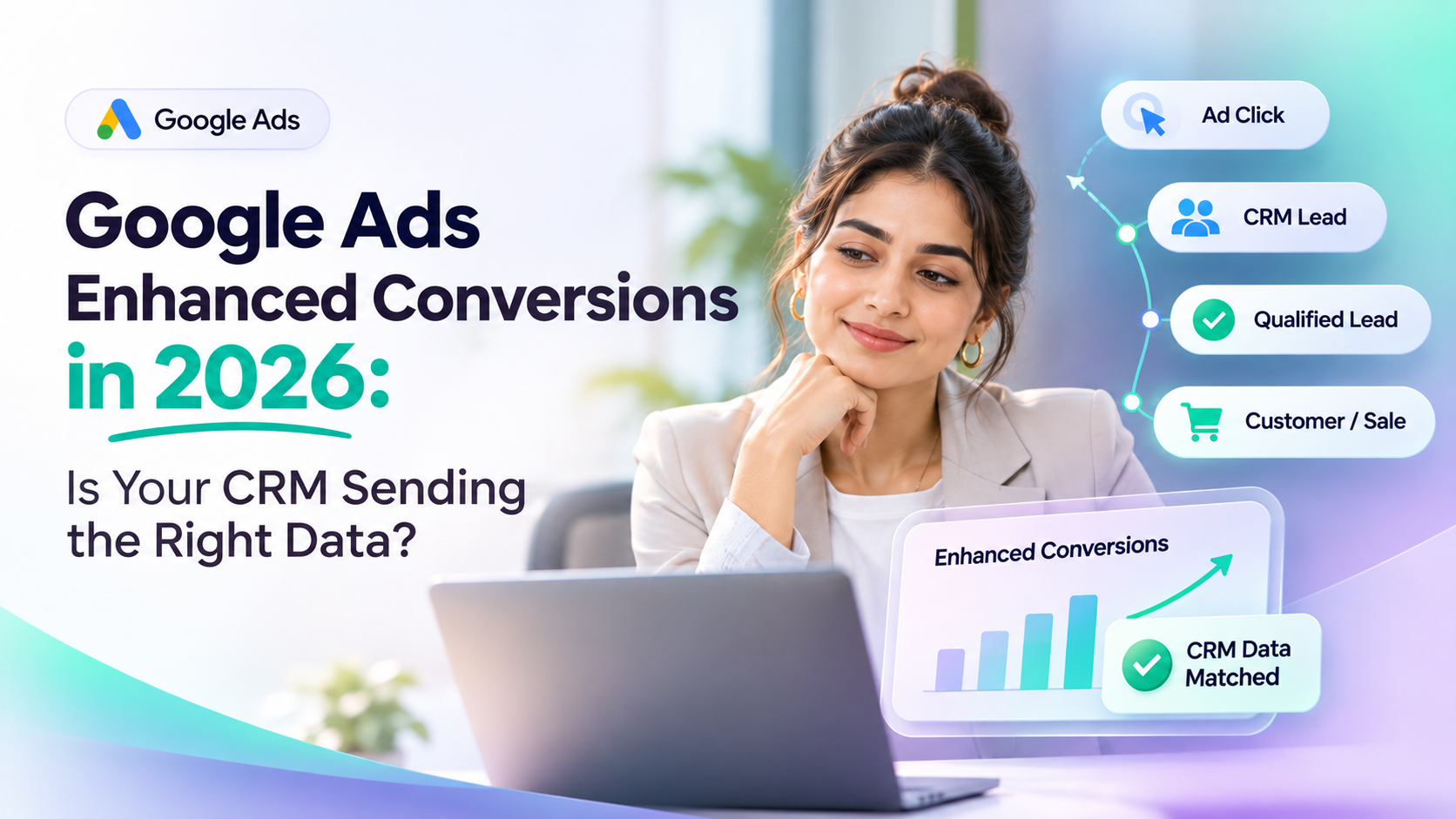
Google Ads enhanced conversions for leads help connect advertising interactions with later CRM outcomes using first-party customer data, such as email addresses or phone numbers, alongside supported advertising identifiers.
However, accurate reporting depends on the quality of the information your CRM collects, processes and shares.
What Are Google Ads Enhanced Conversions?
Enhanced conversions are a Google Ads measurement capability designed to improve conversion attribution using first-party customer information.
There are two related applications:
Enhanced conversions for web: Improve measurement of conversion actions completed on a website.
Enhanced conversions for leads: Help connect advertising interactions with later lead outcomes, including qualified leads and sales recorded outside the website.
For example, a customer clicks your Google advertisement and submits an enquiry form.
Your sales team contacts the customer and eventually completes a sale.
Enhanced conversions for leads can help Google Ads associate that later outcome with an earlier advertising interaction, when sufficient matching information is available.
This gives advertisers more useful information than measuring form submissions alone.
What Changed in Google Ads During 2026?
Google introduced important updates to enhanced conversion settings and offline data integrations.
Unified Enhanced Conversion Settings
Beginning in April 2026, Google moved toward a unified enhanced-conversion configuration.
This allows supported first-party data to be received through website tags, Data Manager and API connections without requiring advertisers to choose only one implementation method.
Data Manager API Changes
On 15 June 2026, Google restricted legacy offline-conversion uploads through the Google Ads API for integrations without qualifying historical upload activity.
Eligible existing integrations may retain access under applicable conditions. For new offline-conversion implementations, Google directs developers towards the Data Manager API. Businesses using older integrations should confirm their access and migration requirements.
The practical takeaway: Businesses should review their conversion import methods, data quality and diagnostics instead of relying on old tracking configurations.
Why Does CRM Data Matter for Enhanced Conversions?
A CRM stores information about what happens after a customer submits an enquiry.
This may include:
Customer contact details.
Original lead source.
Sales pipeline stage.
Lead qualification status.
Sales conversion date.
Transaction value.
Follow-up history.
These records can help businesses measure outcomes beyond the initial advertisement click.
However, Google Ads cannot automatically understand every CRM activity.
Your business must configure the appropriate conversion actions, data connections and supported identifiers.
For example, changing a lead status to "Qualified" inside a CRM does not automatically create a Google Ads conversion unless a supported integration or import process sends that event.
What Customer Data Should Your CRM Send?
Enhanced conversions for leads rely on accurate information that supports conversion matching and attribution.
Data Field | Why It Matters |
|---|---|
Email address | Helps match customer information |
Phone number | Provides another matching identifier |
Google Click ID (GCLID) | Helps connect conversions to eligible ad clicks |
Conversion action | Identifies the business outcome |
Conversion timestamp | Records when the event occurred |
Conversion value | Represents the outcome's value when applicable |
Currency | Identifies the conversion value currency |
Order or transaction ID | Helps identify a conversion and control duplicates |
Consent information | Supports applicable privacy and platform requirements |
The exact required fields depend on the integration method.
Customer identifiers must be normalised and processed according to Google's specifications. Supported enhanced conversion workflows use SHA-256 hashing for relevant personal identifiers.
Businesses should not assume that hashing alone satisfies every privacy or consent obligation.
Five CRM Data Problems That Affect Conversion Tracking
Even when a Google Ads connection appears active, incorrect information can affect measurement.
1. Missing Customer Identifiers
If a CRM record lacks usable email or phone information, matching may become more difficult.
Collect accurate information through appropriate customer interactions and validate it where reasonable.
2. Incorrect Data Formatting
Google requires specific formatting for user-provided identifiers.
For example, email addresses need appropriate normalisation before hashing, while phone numbers generally use international E.164 formatting.
Inconsistent formatting can reduce matching quality.
3. Missing Advertising Attribution
A lead record might exist without its original advertising identifiers.
Where supported, preserve relevant click identifiers and source information during lead capture.
Do not assume that every conversion can be attributed merely because the CRM displays "Google Ads" as the lead source.
4. Incorrect Conversion Events
A business might send every new enquiry as a qualified lead.
This can make reporting less meaningful because an initial form submission and a sales-qualified opportunity are different outcomes.
Define each conversion event clearly before sending it.
Before hashing, remove unnecessary surrounding whitespace and apply Google's specified formatting rules. Phone numbers generally use E.164 international formatting. Gmail and Googlemail addresses have additional normalisation requirements; do not apply those special rules indiscriminately to other email providers.
5. Duplicate Conversion Uploads
Repeated imports of the same business event can create measurement problems.
Use stable event identifiers, appropriate deduplication controls and a consistent import process.
Practical Example: From Advertisement Click to Paying Customer
Consider a fictional software company running Google Ads.
A customer named Rahul clicks an advertisement and completes a website enquiry form.
The CRM captures Rahul's contact information and creates a lead.
A salesperson reviews his requirements and moves the lead through several stages.
Customer Journey | CRM Activity | Potential Google Ads Measurement |
|---|---|---|
Advertisement clicked | Lead source captured | Ad interaction |
Enquiry submitted | New lead created | Lead submission |
Sales team qualifies lead | Lead marked qualified | Qualified lead |
Proposal accepted | Deal progresses | Defined sales milestone |
Customer purchases | Deal marked won | Converted lead or sale |
The business could configure Google Ads to measure selected milestones instead of relying only on initial enquiries.
If the required identifiers, conversion details and permissions are present, the imported outcomes may be matched to eligible advertising interactions.
Not every submitted event will necessarily produce an attributed Google Ads conversion.
The example illustrates the intended measurement workflow, not a guaranteed integration or reporting result.
How to Check Whether Your CRM Is Sending the Right Data
A reliable audit should review the complete journey from customer enquiry to uploaded conversion.
Step 1: Verify Website Tracking
Confirm that the Google tag or Google Tag Manager is configured correctly.
Check whether the website captures supported user-provided data in accordance with Google's setup requirements.
Step 2: Review CRM Field Mapping
Verify that customer identifiers, qualification stages and conversion details are consistently recorded.
Check how the system handles duplicate contacts and updated records.
Step 3: Confirm Conversion Definitions
Decide which outcomes matter to your business.
Common examples include qualified lead, converted lead and completed sale.
Avoid treating every activity or follow-up task as a conversion.
Step 4: Inspect Your Import Method
Check whether your integration uses Google Ads Data Manager, a supported connector or an API-based workflow.
For new integrations, review Google's current Data Manager API guidance.
Step 5: Validate Privacy and Consent
Confirm that your data collection, use and transmission comply with applicable requirements and Google's customer data policies.
Before enabling enhanced conversions, review Google's customer-data policies, the notices provided to customers, applicable consent or legal-basis requirements, and any regional advertising restrictions. Do not assume that hashing personal identifiers removes these obligations.
Step 6: Review Google Ads Diagnostics
Use the enhanced conversions diagnostics report and relevant import diagnostics to identify configuration or data-quality problems.
Check for missing identifiers, formatting issues, rejected records and unexpected conversion counts.
Step 7: Compare CRM and Advertising Results
Compare eligible CRM outcomes with imported and reported conversions over a suitable reporting period.
Remember that CRM totals and attributed Google Ads totals will not necessarily match because of attribution rules, processing delays and unmatched events.
Compare records from the same acquisition cohort and distinguish leads created, qualified leads, completed sales, submitted conversion events, rejected events and successfully attributed conversions. Account for reporting-date differences, conversion windows and processing delays.
What Does Successful Conversion Tracking Look Like?
A successful implementation should provide trustworthy information for business decisions.
Your team should be able to answer:
Which campaigns generate qualified leads?
Which enquiries become paying customers?
Are important conversion events reaching Google Ads?
Are imported events being rejected or duplicated?
Are reported outcomes consistent with CRM records?
Does the process respect customer consent and privacy requirements?
Accurate measurement is more valuable than simply increasing the number of reported conversions.
How Better CRM Conversion Data Supports Marketing Productivity and Revenue Decisions
Marketing teams often compare campaigns using clicks and cost per lead. However, a campaign that generates the most enquiries may not generate the most qualified prospects or customers.
Consider two campaigns producing leads at different costs.
If the business tracks only form submissions, it may favour the campaign with the lowest cost per lead. But if the CRM also records consistent qualification and completed-sale outcomes, managers can compare campaigns using later stages of the customer journey.
This can support better-informed budget decisions, although it does not guarantee increased revenue.
Which Business Metrics Should You Review?
Metric | What it helps measure |
|---|---|
Cost per lead | Advertising spend divided by attributed enquiries |
Cost per qualified lead | Advertising spend divided by attributed qualified leads |
Lead-to-customer conversion rate | Customers acquired divided by eligible leads in the same cohort |
Advertising cost per acquired customer | Attributable ad spend divided by customers attributed to that spend |
Conversion data quality | Whether important events were submitted, accepted and attributed accurately |
Use consistent definitions and reporting periods. Advertising-only acquisition costs should not be confused with fully loaded costs that include staff, agency or operating expenses.
Where Does Productivity Improve?
A consistent measurement process may reduce the manual work involved in reconciling advertising reports with customer outcomes.
For example, marketing and sales teams can agree on what constitutes a qualified lead, who updates the sales stage, and how corrections are handled.
This can make reporting discussions more useful by focusing on the quality of recorded outcomes rather than debating inconsistent numbers.
However, any actual time saving depends on how the business implements and maintains its workflow.
The objective is not simply to report more conversions. It is to help teams understand which customer enquiries are progressing and make advertising decisions using more reliable evidence.
Where TrueValue CRM Fits Into Lead Tracking
TrueValue CRM supports customer relationship management through leads, contacts, deals, follow-ups and sales reporting.
These records help businesses organise customer journeys and identify meaningful sales outcomes.
When evaluating CRM software for enhanced conversion tracking, businesses should confirm how lead-source data, customer identifiers, qualification stages and sales outcomes can be accessed or exported.
Any direct Google Ads Data Manager connection, automated conversion upload or specific integration should be verified separately.
This article does not assume that TrueValue CRM automatically sends enhanced conversions to Google Ads.
Frequently Asked Questions
What are enhanced conversions for leads?
They are a Google Ads measurement capability that uses first-party customer information to help attribute later lead outcomes to eligible advertising interactions.
Does Google Ads automatically receive CRM sales data?
No. A supported integration, import process or data connection must be configured.
Is GCLID still useful in 2026?
Yes. Google continues to recommend including eligible click identifiers alongside supported first-party information when available.
Can inaccurate CRM data affect Google Ads reporting?
Yes. Missing identifiers, incorrect formatting, duplicate uploads and wrongly defined conversion events can affect measurement quality.
Do enhanced conversions guarantee more sales?
No. They can improve conversion measurement and provide useful signals for advertising optimisation, but they do not guarantee additional leads or revenue.
Conclusion: Better Advertising Decisions Start With Reliable CRM Data
Google Ads enhanced conversions for leads can help businesses understand what happens after an advertising enquiry.
However, reliable measurement requires more than connecting two systems.
Accurate customer information, meaningful conversion definitions, appropriate permissions and regular diagnostics are essential.
Before increasing your advertising budget, make sure your CRM data tells an accurate story about customer outcomes.
Explore TrueValue CRM Plans & Pricing to review available customer management and sales tracking capabilities.
See Business Operations and the rest of the Platform in action.
Start with the Product you need today, then add more on the same Platform.
Explore Products