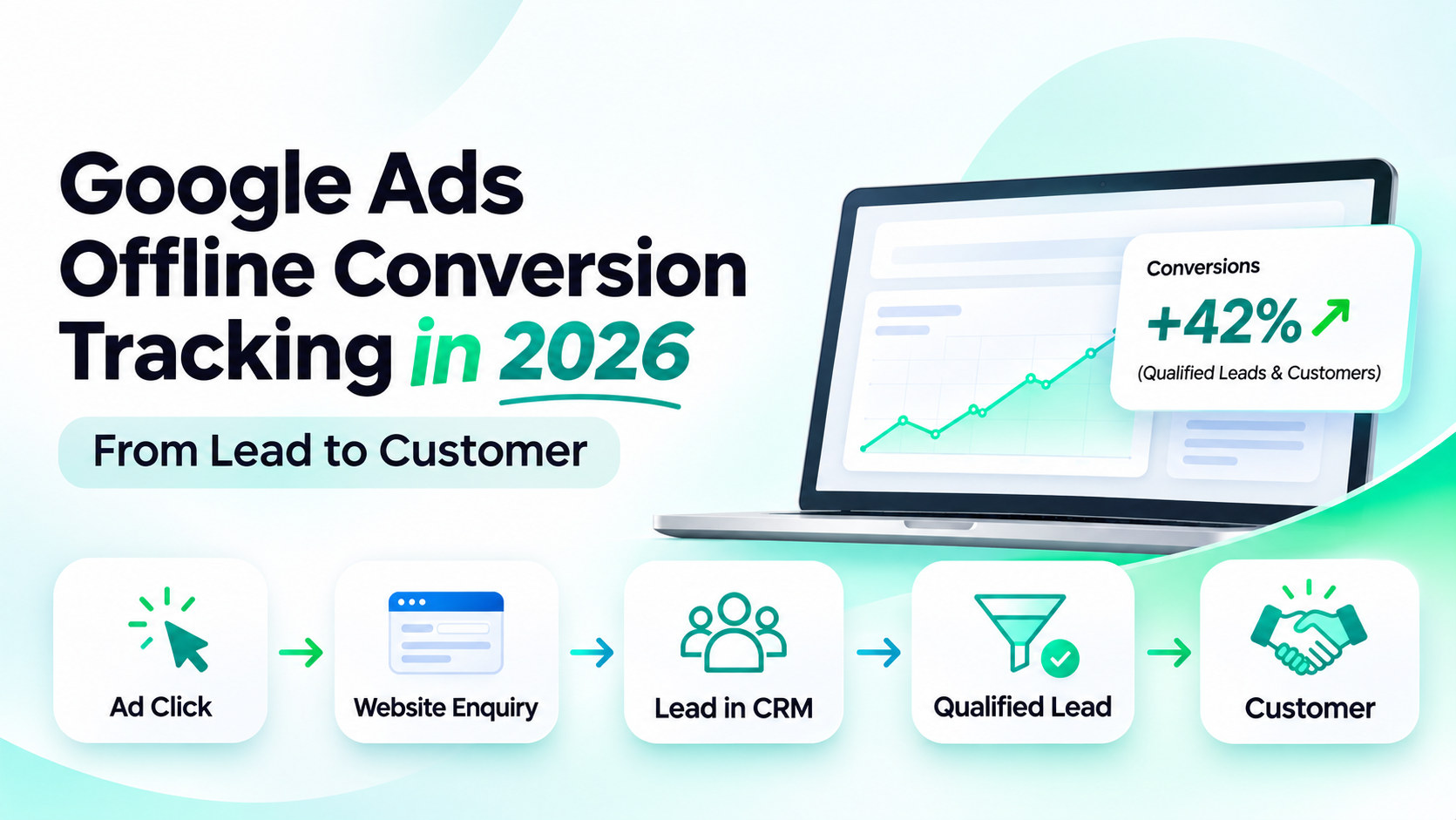
A Google Ads campaign can generate enquiries without revealing which become customers. Google Ads offline conversion tracking imports later CRM sales milestones into Google Ads, helping businesses evaluate qualified prospects and customers rather than form submissions alone.
In 2026, the recommended starting point is enhanced conversions for leads, using Data Manager or its API. Capture suitable identifiers, define lead stages, import events and verify the results.
What is Google Ads offline conversion tracking?
Offline conversion tracking measures actions after an ad interaction, such as a qualified lead, attended consultation or signed contract.
The journey looks like this:
Google ad → Website enquiry → CRM lead → Qualified lead → Sales discussion → Customer → Offline conversion import
Website tags measure the enquiry, not a later sale. An offline import sends that milestone back to Google for possible attribution.
Important: Not every CRM event will match an ad. A reported attribution is a measurement signal, not proof that the advert alone caused the sale.
What changed in 2026?
On 15 June 2026, Google restricted the older Google Ads API UploadClickConversions method for integrations without qualifying historical activity. New custom imports should use the Data Manager API; eligible existing integrations should review migration requirements. Enhanced-conversion settings also now accept data from tags and imports together.
Google recommends enhanced conversions for leads, which uses permitted first-party contact data alongside click identifiers to improve matching.
Data Manager connects supported sources; the Data Manager API sends events programmatically.
Which stages should a business track?
Track milestones that genuinely influence a sales decision. A practical three-stage framework is:
Stage | Example trigger | Question answered |
|---|---|---|
Enquiry received | Prospect submits a website form | Which ads generate enquiries? |
Qualified lead | Sales confirms the prospect meets defined criteria | Which ads attract suitable prospects? |
Converted lead | Customer signs, pays or reaches another agreed sale milestone | Which ads are associated with customers? |
Define “qualified” clearly. For an IT consultancy, it might require service fit, location and a realistic project need—not simply a follow-up call.
Google Analytics 4 also recommends lead-funnel events such as generate_lead, qualify_lead and close_convert_lead. These are GA4 event names, not evidence that offline Google Ads imports are already configured.
How to set up offline conversion tracking in seven steps
1. Define the conversion you actually want
Define qualification and customer stages in CRM. Configure corresponding Google Ads Qualified lead and Converted lead actions.
Initially keep imported actions secondary until counts are reliable.
2. Prepare your website tagging
Enable auto-tagging. Configure the Google tag or Tag Manager to collect permitted lead-form data. Test redirects, embedded forms and mobile submissions.
Google's tagging guidance explains how website data links to later uploads.
3. Capture identifiers and milestones in the CRM
Store a stable lead ID, original enquiry time, available gclid, gbraid or wbraid, and separate qualification and sale dates. UTM parameters alone cannot replace Google Ads matching identifiers.
Use customer information lawfully; normalise and hash it where required.A CRM lead ID helps connect internal records and milestones, but it does not by itself establish Google Ads attribution. Use supported advertising identifiers or eligible customer information according to Google's import requirements.
4. Connect a supported import source
In Google Ads, create an offline conversion import from CRMs, files or other data sources and connect a supported Data Manager source.
For custom systems, use Google's Data Manager API guide. Verify that any advertised CRM integration actually exists.
5. Map CRM fields to Google Ads events
Use a documented field-mapping table before enabling automation:
CRM information | Why it matters |
|---|---|
Stable lead ID | Relates multiple stages to one customer record |
Available click ID | Helps associate a milestone with an advertising interaction |
Email or phone, where permitted | Supports enhanced conversions matching |
Conversion action | Distinguishes qualification from an actual sale |
Milestone date and timezone | Records when the event really happened |
Transaction or event ID | Supports deduplication and later adjustments |
Value and currency | Enables meaningful value reporting when justified |
One lead can have multiple distinct milestones. Give each appropriate event its own transaction identifier.
6. Test a small batch and inspect diagnostics
Run a small test. Check timestamps, conversion actions and Google's offline data diagnostics for rejected rows or duplicate events.
With APIs, validate requests and check processing results. An accepted event may still remain unattributed.
7. Choose bidding goals only after checking data quality
After reliable uploads, evaluate which milestone to use for bidding. Google recommends regular, preferably daily, uploads. With few monthly sales, qualified leads may provide a more useful optimisation signal.
A five-point go-live acceptance check
Before using imported outcomes to guide spend, run an acceptance check with real workflow conditions:
Form capture: Submit enquiries from desktop and mobile and verify that a stable CRM record is created.
Attribution: Confirm that available click identifiers survive the form-to-CRM handover. Do not silently overwrite the original source when a prospect returns.
Stage changes: Mark a test lead qualified, then converted; verify that each milestone records its own timestamp and conversion action.
Duplicate handling: Retry an import and check that transaction identifiers prevent unintended duplicate conversions.
Reporting: Compare CRM counts, upload diagnostics and Google Ads attributed conversions using an agreed reporting period.
Document any mismatch and its cause. Repeat the check after changing a website form, CRM status, integration or tracking tag. This makes tracking quality a shared responsibility across marketing, sales and development. Before changing an imported action to Primary, review its match quality, volume, reporting delays and relationship to existing conversion goals. Avoid optimising to multiple overlapping lead milestones without understanding how they contribute to campaign reporting and bidding.
Example: from an ad click to a paying customer
Consider a fictional Australian consultancy running Google Search ads. A prospect submits a website enquiry on 3 October. The CRM stores an internal ID, the original enquiry time and available advertising identifiers.
On 6 October, the sales team confirms the prospect is qualified. On 21 October, the prospect signs an AUD 4,000 agreement. The tracking workflow submits a Qualified lead event for 6 October and a Converted lead event for 21 October.
Matched events can appear under separate actions. Two milestones for one lead do not mean two customers.
Imagine the wider campaign spent AUD 2,000 and resulted in 80 enquiries, 20 qualified leads and five customers. Its cost per enquiry would be AUD 25, cost per qualified lead AUD 100, and cost per customer AUD 400. These are illustrative calculations, not TrueValue results or a guaranteed advertising outcome.
Why do Google Ads and CRM reports disagree?
Counts differ because CRM sales use close date, whereas Google Ads often attributes by ad-interaction date; eligibility rules also differ.
Check these causes before changing campaign budgets:
Missing match data: click identifiers or eligible first-party information were never captured.
Different event definitions: a CRM counts all closed deals, while Google Ads measures only attributed conversions.
Wrong timezone or date basis: sales appear in a different reporting period.
Repeated imports: the same event was uploaded without consistent deduplication identifiers.
Import or matching delays: recently submitted events have not finished processing.
Lookback limits: Google's offline import FAQ lists up to 90 days for GCLID-based uploads and 63 days for enhanced conversions using personal information, subject to applicable rules.
Reconcile matching periods and track submitted, rejected and attributed events.When comparing CRM sales dates with Google Ads, use the appropriate conversion-time reporting columns, such as Conversions (by conv. time), alongside the standard interaction-date views. Keep conversion actions, reporting periods and time zones consistent
What about privacy and customer consent?
Follow Google's customer data policies and privacy law. Never put contact details in analytics URLs or treat hashing as a substitute for valid permission.
Restrict exports and avoid unnecessary personal data.
How TrueValue Platform supports the lead-to-customer workflow
TrueValue CRM is designed to manage leads, contacts, accounts, deals, follow-ups and reporting. TrueValue Marketing focuses on campaign audiences and communication workflows, while TrueValue Site Flow covers website and content operations.
These Products support record organisation. A native Google Ads offline import integration has not been verified and should not be assumed.
Frequently asked questions
Can I track Google Ads offline conversions without a CRM?
Yes. A spreadsheet can work if identifiers, stages and uploads are accurate.
Is enhanced conversions for leads the same as a Google Ads website conversion?
No. Website conversions measure on-site actions; enhanced conversions for leads can attribute eligible later sales milestones.
Should I upload every CRM stage as a Google Ads conversion?
No. Choose meaningful stages rather than inflating totals with routine activities.
What if a customer takes months to purchase?
Check import deadlines and conversion windows; older sales may be ineligible.
Can Google Ads show exactly which advert caused a sale?
Attribution provides evidence of association, not proof of causation.
Turn enquiries into a clearer sales picture
Start with one enquiry form, one qualification definition and one customer outcome. Capture the right identifiers, test the import and compare CRM records with Google Ads before making major optimisation decisions.If your business wants a clearer process for managing leads, sales stages, deals and follow-ups, explore TrueValue Platform CRM and request a demo to discuss your requirements. Google Ads offline conversion imports and external integrations should be verified separately before implementation.
If your next priority is organising leads, deals and follow-ups, explore TrueValue CRM plans and pricing. Compare the options for your team, or create your TrueValue Platform account to begin the available registration process.
See Business Operations and the rest of the Platform in action.
Start with the Product you need today, then add more on the same Platform.
Explore Products